App bundle examples
This page shows app bundle layouts, bundle manifests, apply documents, validation commands, upgrade behavior, and uninstall patterns.
Example: SOC triage bundle
Directory layout:
soc-triage/
  bundle.yaml
  applications/
    soc-triage.yaml
  dashboards/
    soc-triage-overview.yaml
    finding-evidence.yaml
  notebooks/
    incident-review.yaml
  workflows/
    create-finding-ticket-v1.yaml
bundle.yaml
kind: Bundle
metadata:
  name: soc-triage
spec:
  bundle_version: 1.0.0
  description: SOC triage app with dashboards, notebook, and ticket workflow.
  references:
    - kind: Connection
      namespace: shared
      name: slack-prod
    - kind: Connection
      namespace: shared
      name: github-prod
Use references for resources the bundle depends on but does not own. In this example, shared Slack and GitHub connections are validated but not modified.
applications/soc-triage.yaml
kind: Application
metadata:
  name: soc-triage
spec:
  display_name: SOC Triage
  description: Review, enrich, and route high-priority security findings.
  route: /apps/soc-triage
  tags:
    - security
    - triage
  defaults:
    warehouse: localwarehouse
  models:
    - name: finding
      source:
        type: sql
        sql: SELECT * FROM findings WHERE severity IN ('critical', 'high')
      key: finding_id
      display_fields:
        - finding_id
        - severity
        - service
        - summary
        - status
      state_field: status
  pages:
    - name: findings
      type: list
      model: finding
      title: Findings
      row_actions:
        - open_investigation
        - create_ticket
    - name: overview
      type: dashboard
      title: Overview
      dashboard: soc-triage-overview
    - name: incident_review
      type: notebook
      title: Incident Review
      notebook: incident-review
  actions:
    - name: create_ticket
      label: Create ticket
      kind: workflow
      workflow: CreateFindingTicket@v1
      requires_confirmation: true
      approval: ticket_creation
  approvals:
    - name: ticket_creation
      action: create_ticket
      approver_role: soc-lead
      required: false
  navigation:
    - label: Findings
      page: findings
    - label: Overview
      page: overview
    - label: Notebook
      page: incident_review
dashboards/soc-triage-overview.yaml
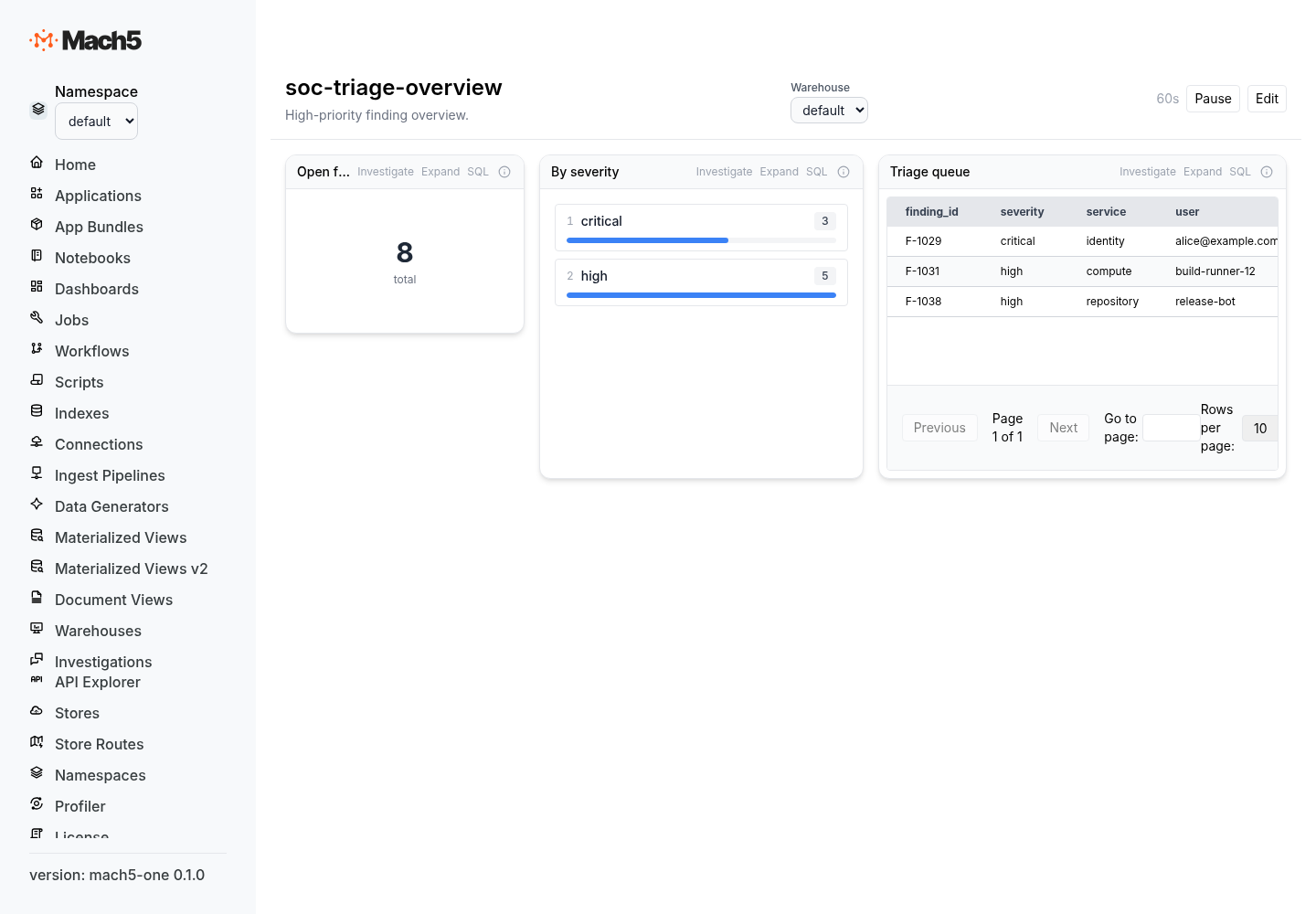
kind: Dashboard
metadata:
  name: soc-triage-overview
spec:
  description: High-priority finding overview.
  tags:
    - security
  refresh:
    enabled: true
    interval_seconds: 60
  time_range:
    mode: relative
    value: 24
    unit: hours
  layout:
    columns: 24
    row_height: 30
  parameters:
    - name: severity
      display_name: Severity
      type: select
      default_value: high
      config:
        kind: select
        options:
          - value: critical
            label: Critical
          - value: high
            label: High
  panels:
    - id: p_open_findings
      title: Open findings
      grid_pos:
        x: 0
        y: 0
        w: 6
        h: 4
      query:
        source:
          type: sql
          sql: SELECT COUNT(*) AS total FROM findings WHERE severity = {{severity}}
        parameter_bindings:
          - parameter_name: severity
            query_placeholder: "{{severity}}"
      visualization:
        type: metric_card
        emphasis: hero
        config:
          value_column: total
notebooks/incident-review.yaml
kind: Notebook
metadata:
  name: incident-review
spec:
  format_version:
    major: 1
    minor: 0
  metadata:
    title: Incident review
    tags:
      - security
      - investigation
  cells:
    - id: recent_findings
      source:
        - findings
        - "| where severity in ('critical', 'high')"
        - "| sort by event_time desc"
        - "| take 100"
      metadata:
        type: mql
        title: Recent high-priority findings
workflows/create-finding-ticket-v1.yaml
kind: Workflow
metadata:
  name: CreateFindingTicket@v1
spec:
  source: |
    workflow CreateFindingTicket@v1(input: Object) -> Object {
      let issue = effect connector {
        connection: "github-prod",
        operation: "create_issue",
        input: {
          owner: input.owner,
          repo: input.repo,
          title: input.title,
          body: input.body,
          labels: ["mach5", "finding"]
        }
      } with {
        idempotency_key: `{{ input.finding_id }}:github_issue`
      }

      return issue
    }
Validate before installing
m5c bundle validate soc-triage --namespace prod
Use --ensure-namespace when the target namespace may not exist.
m5c bundle validate soc-triage --namespace prod --ensure-namespace
Use --adopt when the bundle should take ownership of matching unowned resources.
m5c bundle validate soc-triage --namespace prod --adopt
Dry-run install
Dry-run validates and executes inside a transaction, then rolls back.
m5c bundle apply soc-triage --namespace prod --dry-run
A dry-run response has applied: false but still reports what would be applied or pruned.
Install or upgrade
m5c bundle apply soc-triage --namespace prod --ensure-namespace
Reapplying the same bundle is idempotent. Updating files and reapplying upgrades the owned resources.
Upgrade example
Version 1.1.0 adds a second dashboard and removes the notebook.
kind: Bundle
metadata:
  name: soc-triage
spec:
  bundle_version: 1.1.0
  description: SOC triage app with expanded dashboards.
If notebooks/incident-review.yaml is removed from the directory, the next bundle apply prunes the incident-review notebook because it is owned by soc-triage but no longer appears in the incoming bundle.
m5c bundle apply soc-triage --namespace prod
List installed bundles
m5c bundle list --namespace prod
Inspect a bundle
m5c bundle get soc-triage --namespace prod
List bundle members
m5c bundle members soc-triage --namespace prod
Example member output shape:
[
  { "kind": "Application", "name": "soc-triage" },
  { "kind": "Dashboard", "name": "soc-triage-overview" },
  { "kind": "Workflow", "name": "CreateFindingTicket@v1" }
]
Export a namespace
m5c export prod -o prod-export.yaml
Export emits multi-document YAML in apply format with bundle documents first.
Uninstall a bundle
m5c bundle delete soc-triage --namespace prod --yes
This deletes all resources owned by the bundle and then deletes the bundle row. Shared resources declared in references are not owned and are not deleted.
Example: runtime operations bundle
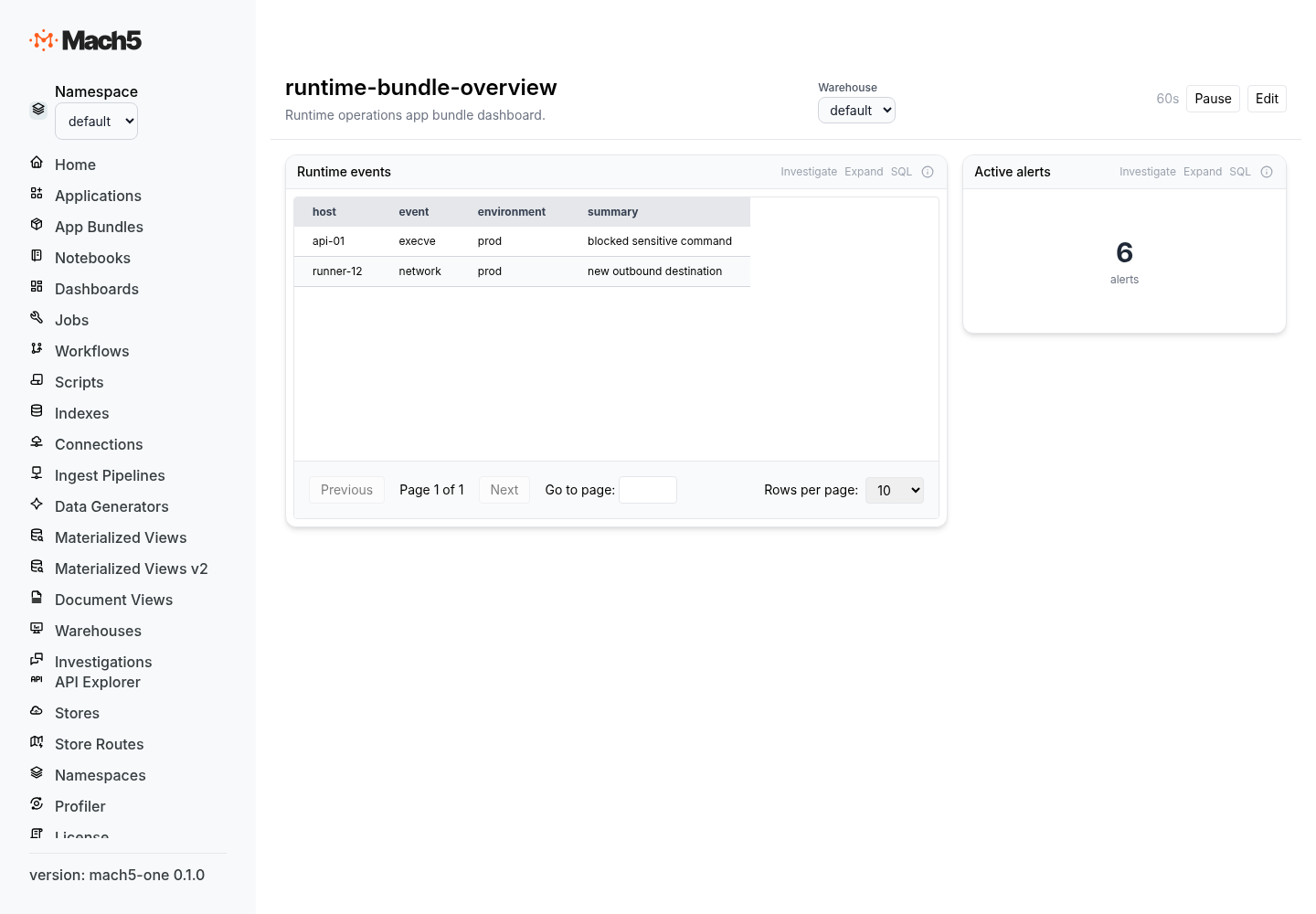
This bundle installs an app and owns its dashboard and notebook, but depends on a shared object-store connection.
---
kind: Bundle
metadata:
  name: runtime-ops
spec:
  bundle_version: 1.0.0
  description: Runtime operations app.
  references:
    - kind: Connection
      namespace: shared
      name: s3-runtime-logs
---
kind: Application
metadata:
  name: runtime-ops
spec:
  display_name: Runtime Operations
  description: Investigate runtime events and host activity.
  route: /apps/runtime-ops
  models:
    - name: host
      source:
        type: sql
        sql: SELECT * FROM host_inventory
      key: host
      display_fields: [host, environment, owner_team, risk_score]
  pages:
    - name: overview
      type: dashboard
      dashboard: runtime-overview
    - name: notebook
      type: notebook
      notebook: runtime-investigation
  navigation:
    - label: Overview
      page: overview
    - label: Notebook
      page: notebook
---
kind: Dashboard
metadata:
  name: runtime-overview
spec:
  description: Runtime activity overview.
  refresh:
    enabled: true
    interval_seconds: 60
  layout:
    columns: 24
    row_height: 30
  panels: []
---
kind: Notebook
metadata:
  name: runtime-investigation
spec:
  format_version:
    major: 1
    minor: 0
  cells: []
Best practices
- Keep
bundle.yamlsmall and stable. - Put each resource in its own file.
- Use clear directory names even though the server treats the body as a flat document stream.
- Use
referencesfor shared connections and resources the bundle should not own. - Use
--dry-runbefore production upgrades. - Use
--adoptdeliberately; it changes ownership of existing unowned resources. - Treat removed files as intentional deletions because bundle apply prunes missing owned members.
- Version every app bundle with
spec.bundle_version.