Synthetic Data Generation
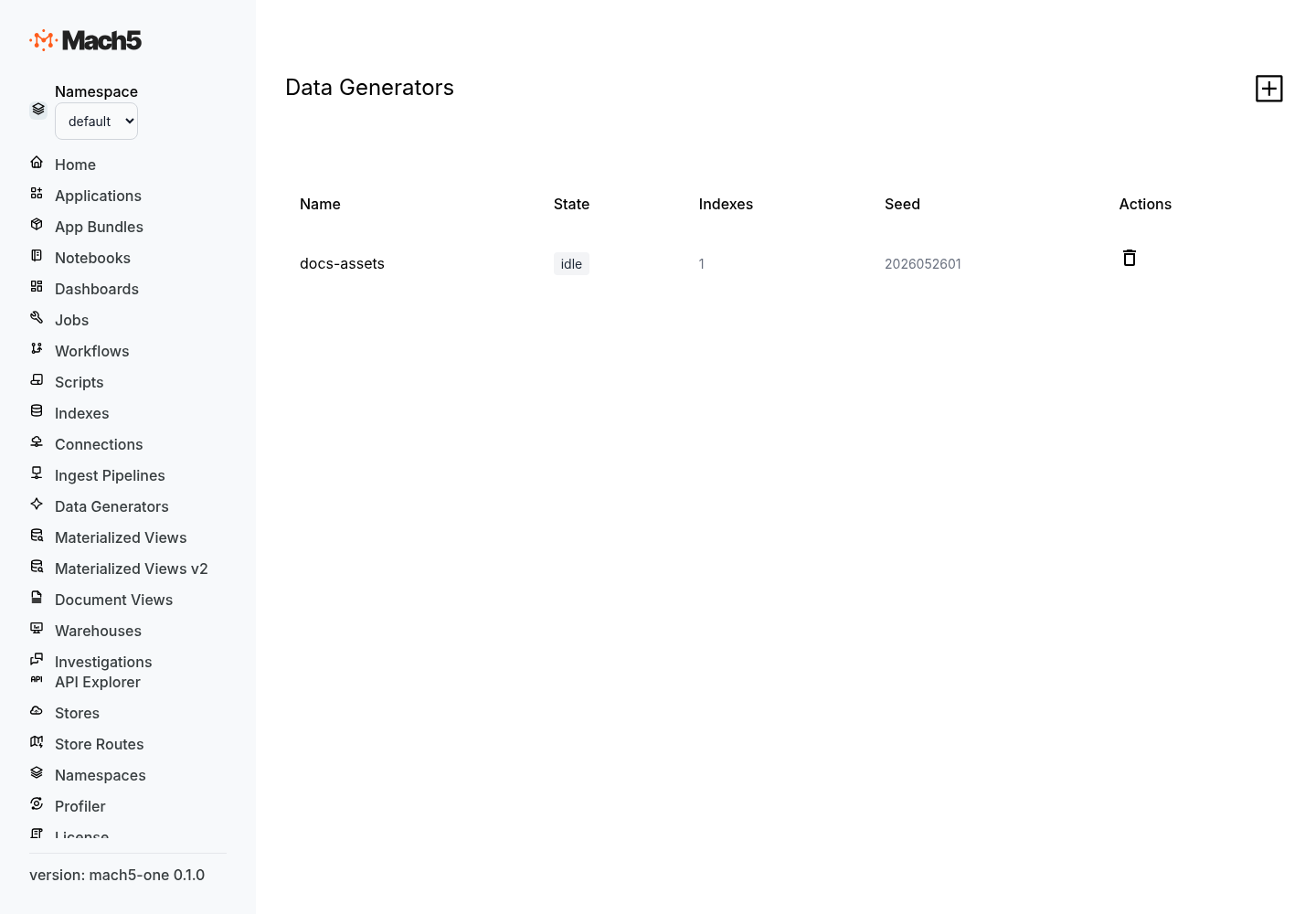
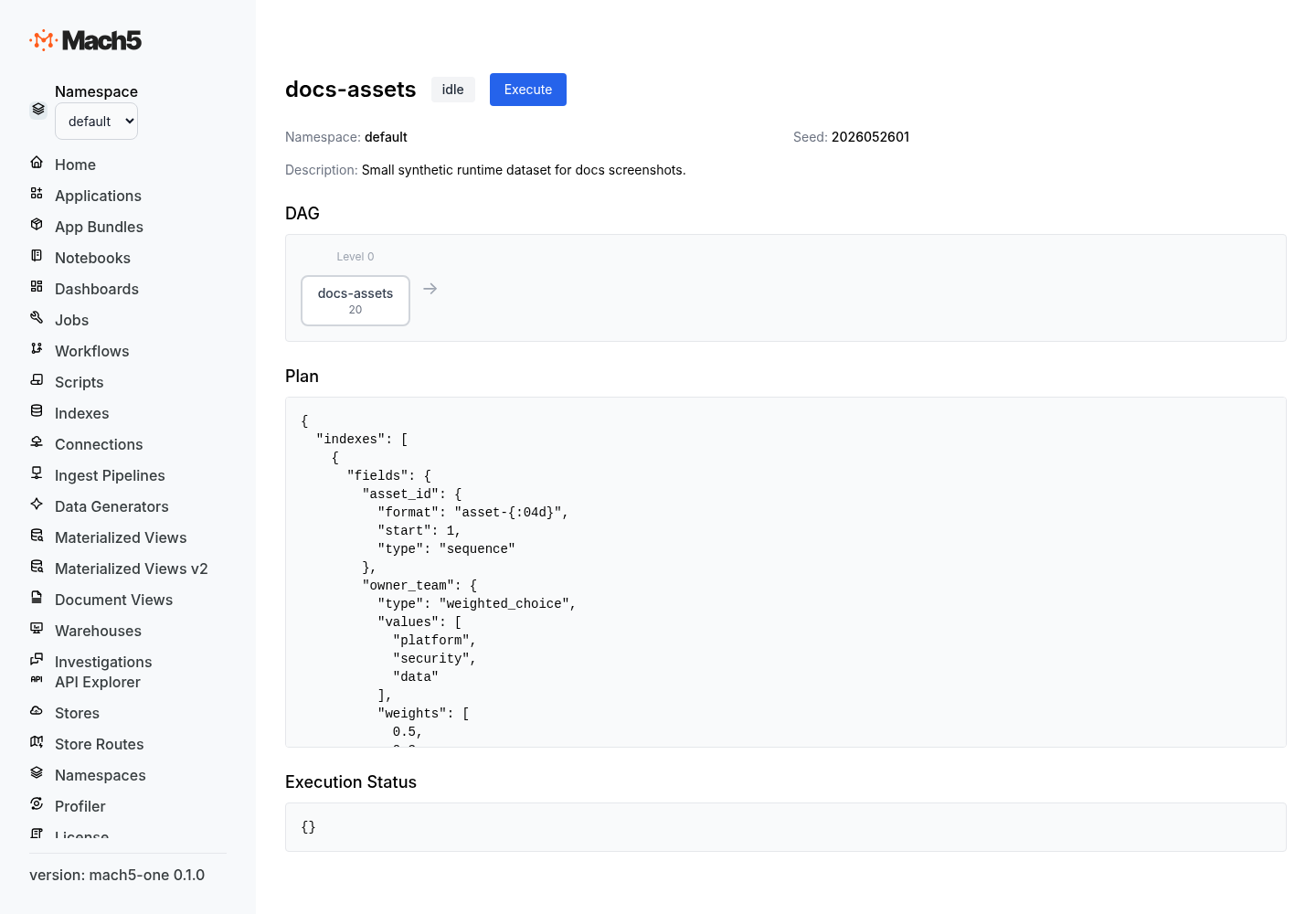
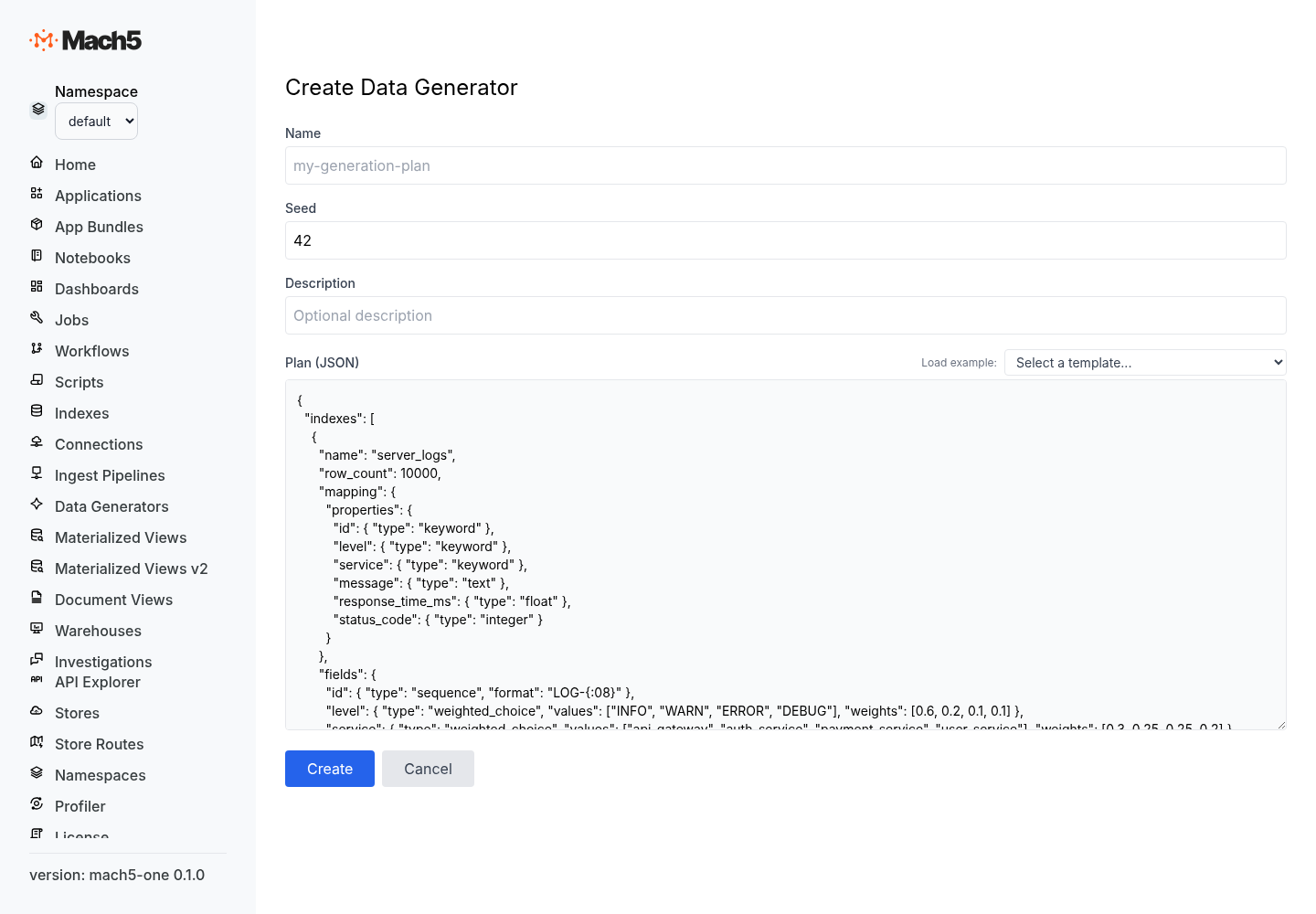
Synthetic Data Generation creates deterministic test, demo, and benchmark data directly in Mach5. You define a generation plan, validate it, execute it, and Mach5 creates one or more output indexes with generated documents.
Use synthetic generation when you need:
- repeatable demo datasets;
- benchmark data with controlled size and shape;
- correlated indexes such as customers, orders, order items, and payments;
- realistic-looking values without importing external files;
- parent/child and many-to-many relationships that are valid by construction.
The same plan seed and row definitions produce the same generated data, which makes synthetic datasets easy to recreate across environments.
Basic workflow
- Create a
GenerationPlanresource in a namespace. - Validate the plan.
- Execute the plan.
- Watch status until the plan completes.
- Query the generated indexes.
REST API
Generation plans are namespace-scoped resources.
GET    /apis/namespaces/{namespace}/generation_plans
GET    /apis/namespaces/{namespace}/generation_plans/{name}
PUT    /apis/namespaces/{namespace}/generation_plans/{name}
PATCH  /apis/namespaces/{namespace}/generation_plans/{name}
DELETE /apis/namespaces/{namespace}/generation_plans/{name}

POST   /apis/namespaces/{namespace}/generation_plans/{name}/_validate
POST   /apis/namespaces/{namespace}/generation_plans/{name}/_execute
POST   /apis/namespaces/{namespace}/generation_plans/{name}/_cancel
GET    /apis/namespaces/{namespace}/generation_plans/{name}/status
Create a plan:
curl -X PUT \
  "https://mach5.example.com/apis/namespaces/default/generation_plans/demo_orders" \
  -H "Content-Type: application/json" \
  -d '{
    "seed": 42,
    "description": "Small order demo dataset",
    "plan": {
      "indexes": [
        {
          "name": "customers",
          "row_count": 100,
          "fields": {
            "customer_id": { "type": "sequence", "format": "CUST-{:04}" },
            "name": { "type": "fake", "category": "person.name" },
            "email": { "type": "fake", "category": "internet.email" }
          }
        }
      ]
    }
  }'
Validate the plan:
curl -X POST \
  "https://mach5.example.com/apis/namespaces/default/generation_plans/demo_orders/_validate"
Execute the plan:
curl -X POST \
  "https://mach5.example.com/apis/namespaces/default/generation_plans/demo_orders/_execute"
Check status:
curl \
  "https://mach5.example.com/apis/namespaces/default/generation_plans/demo_orders/status"
Cancel a running plan:
curl -X POST \
  "https://mach5.example.com/apis/namespaces/default/generation_plans/demo_orders/_cancel"
GenerationPlan resource
A generation plan resource has a deterministic seed, an optional description, and a plan specification.
{
  "seed": 42,
  "description": "E-commerce demo data",
  "plan": {
    "indexes": []
  }
}
| Field | Type | Description |
|---|---|---|
seed | unsigned integer | Global deterministic seed. Change the seed to produce a different but repeatable dataset. |
description | string | Optional human-readable description. |
plan | object | Data generation specification. |
The status response also includes lifecycle fields such as state, run_generation, last_observed_generation, and last_execution.
Common states:
| State | Description |
|---|---|
idle | Plan is saved and not currently running. |
running | Plan execution is in progress. |
completed | Plan execution completed successfully. |
failed | Plan execution failed. |
cancelling | Cancellation has been requested. |
cancelled | Plan execution was cancelled. |
Plan structure
The plan object contains optional execution controls, optional entity metadata, and a required indexes array.
{
  "max_parallel_workers": 4,
  "partitions": 8,
  "workflow_timeout_seconds": 7200,
  "entities": {},
  "indexes": []
}
| Field | Type | Description |
|---|---|---|
max_parallel_workers | integer | Default maximum concurrent workers per index. Must be greater than 0. |
partitions | integer | Default partition count for fixed-row and relationship planning. Must be greater than 0. |
workflow_timeout_seconds | integer | Default timeout for generation work. Must be greater than 0. |
entities | object | Optional stateless entity catalog used by stateless foreign keys and entity_field. |
indexes | array | Output index specifications. Required and non-empty. |
Index-level max_parallel_workers, partitions, and workflow_timeout_seconds override plan-level values.
Index specification
Each index entry defines one generated output index.
{
  "name": "orders",
  "depends_on": ["customers"],
  "row_count": 100000,
  "mapping": {
    "properties": {
      "order_id": { "type": "keyword" },
      "customer_id": { "type": "keyword" },
      "amount": { "type": "double" }
    }
  },
  "fields": {
    "order_id": { "type": "sequence", "format": "ORD-{:08}" },
    "customer_id": { "type": "foreign_key", "source": "customers.customer_id" },
    "amount": { "type": "log_normal", "mean": 4.0, "stddev": 1.0, "min": 1.0 }
  }
}
| Field | Type | Description |
|---|---|---|
name | string | Output index name. Must be unique within the plan. |
depends_on | string array | Upstream indexes that must be generated before this index. |
row_count | integer | Fixed number of rows to generate. |
per_parent | object | Generate child rows for every row in a parent index. |
relationship | object | Generate a relationship or junction index between upstream indexes. |
mapping | object | OpenSearch-compatible mapping used when creating the output index. Defaults to an empty mapping. |
fields | object | Field name to field generator specification. |
transform | object | Optional JavaScript or VRL transform applied after field generation. |
max_parallel_workers | integer | Index-level worker override. |
partitions | integer | Index-level partition override. |
workflow_timeout_seconds | integer | Index-level timeout override. |
Exactly one row strategy is required for each index:
row_countper_parentrelationship
Row strategies
Fixed row count
Use row_count when an index should contain exactly a known number of generated rows.
{
  "name": "customers",
  "row_count": 1000,
  "fields": {
    "customer_id": { "type": "sequence", "format": "CUST-{:06}" },
    "name": { "type": "fake", "category": "person.name" }
  }
}
The example creates 1,000 customer documents. customer_id is deterministic and monotonic, while name is deterministic but realistic-looking.
Per-parent rows
Use per_parent when a child index should generate rows for every row in a parent index.
{
  "name": "users",
  "depends_on": ["tenants"],
  "per_parent": {
    "parent": "tenants",
    "count": { "type": "uniform_int", "min": 10, "max": 50 }
  },
  "fields": {
    "tenant_id": { "type": "parent_key" },
    "user_id": { "type": "sequence", "format": "USER-{:08}" },
    "email": { "type": "fake", "category": "internet.email" }
  }
}
The parent index must appear in depends_on. The count generator decides how many child rows to create for each parent row. A child field using parent_key receives the parent value for the same field name.
In this example, each tenant receives between 10 and 50 users, and tenant_id is copied from the parent tenant row.
Junction relationships
Use relationship when an index should pair keys from two upstream indexes, such as students and courses, users and groups, or products and campaigns.
{
  "name": "student_courses",
  "depends_on": ["students", "courses"],
  "relationship": {
    "type": "junction",
    "left": { "index": "students", "key": "student_id" },
    "right": { "index": "courses", "key": "course_id" },
    "left_cardinality": { "type": "uniform_int", "min": 3, "max": 5 },
    "right_max": 250,
    "unique": true
  },
  "fields": {
    "student_id": { "type": "parent_key" },
    "course_id": { "type": "parent_key" },
    "enrolled_at": {
      "type": "timestamp_range",
      "start": "2026-01-01T00:00:00Z",
      "end": "2026-03-31T23:59:59Z"
    }
  }
}
| Relationship field | Description |
|---|---|
type | Must be junction. |
left.index | Left source index name. |
left.key | Key field from the left source index. |
right.index | Right source index name. |
right.key | Key field from the right source index. |
left_cardinality | Generator that controls how many right-side keys are assigned to each left-side row. |
right_max | Maximum number of times each right-side row may be used. |
unique | When true, prevents duplicate left/right pairs for the same left row. |
Both source indexes must appear in depends_on.
Field specification
Every generated field has a generator type and optional cross-cutting properties.
"fields": {
  "service": {
    "type": "weighted_choice",
    "values": ["api", "worker", "scheduler"],
    "weights": [0.6, 0.3, 0.1],
    "optional": 0.05
  }
}
Cross-cutting field properties
| Property | Type | Description |
|---|---|---|
type | string | Generator type. Required. |
optional | float | Probability from 0.0 to 1.0 that the field is omitted. Defaults to 0.0. |
cardinality | generator | When set, the field emits an array. The cardinality generator decides array length. |
unique | boolean | When the field emits an array, attempts to avoid duplicate elements. Defaults to true. |
Optional fields
"middle_name": {
  "type": "fake",
  "category": "person.name",
  "optional": 0.7
}
This field is omitted from about 70% of generated documents.
Array fields with cardinality
"tags": {
  "type": "weighted_choice",
  "values": ["prod", "dev", "pci", "public", "internal"],
  "weights": [0.3, 0.2, 0.1, 0.2, 0.2],
  "cardinality": { "type": "uniform_int", "min": 1, "max": 3 },
  "unique": true
}
This field emits an array with 1 to 3 unique tag values.
Field generators
sequence
Generates a deterministic sequence based on the row index.
{ "type": "sequence" }
| Parameter | Type | Description |
|---|---|---|
start | integer | First sequence value. Defaults to 1. |
format | string | Optional format string. Supports {} and zero-padded forms such as {:06} or {:06d}. |
Examples:
"id": { "type": "sequence" }
Produces numeric values such as 1, 2, 3.
"customer_id": { "type": "sequence", "start": 1000, "format": "CUST-{:06}" }
Produces values such as CUST-001000, CUST-001001, CUST-001002.
uuid
Generates a deterministic UUID-like string.
"event_id": { "type": "uuid" }
Use uuid for identifiers that should look globally unique but remain repeatable for the same seed and row.
constant
Returns the same JSON value for every row.
"environment": { "type": "constant", "value": "prod" }
value may be a string, number, boolean, object, array, or null.
uniform_int
Generates an integer uniformly distributed between min and max, inclusive.
"status": { "type": "uniform_int", "min": 200, "max": 599 }
| Parameter | Type | Description |
|---|---|---|
min | integer | Minimum value. |
max | integer | Maximum value. |
uniform_float
Generates a floating-point value uniformly distributed between min and max.
"cpu": { "type": "uniform_float", "min": 0.0, "max": 100.0 }
| Parameter | Type | Description |
|---|---|---|
min | number | Minimum value. |
max | number | Maximum value. |
normal
Generates a normally distributed floating-point value.
"latency_ms": { "type": "normal", "mean": 120.0, "stddev": 25.0, "min": 0.0, "max": 1000.0 }
| Parameter | Type | Description |
|---|---|---|
mean | number | Average value. |
stddev | number | Standard deviation. |
min | number | Optional lower clamp. |
max | number | Optional upper clamp. |
Use normal for values clustered around an average, such as latency, age, or utilization.
log_normal
Generates a log-normal floating-point value.
"order_amount": { "type": "log_normal", "mean": 4.0, "stddev": 1.0, "min": 1.0 }
| Parameter | Type | Description |
|---|---|---|
mean | number | Mean of the underlying normal distribution. |
stddev | number | Standard deviation of the underlying normal distribution. |
min | number | Optional lower clamp. |
max | number | Optional upper clamp. |
Use log_normal for skewed positive values such as transaction amounts, payload sizes, and response times.
weighted_choice
Samples one value from a list using weights.
"level": {
  "type": "weighted_choice",
  "values": ["debug", "info", "warn", "error"],
  "weights": [0.1, 0.7, 0.15, 0.05]
}
| Parameter | Type | Description |
|---|---|---|
values | array | Candidate JSON values. |
weights | number array | Relative weights matching the values array. |
Weights are relative. They do not need to add up to 1.0.
fake
Generates deterministic plausible strings for common categories.
"name": { "type": "fake", "category": "person.name" }
| Parameter | Type | Description |
|---|---|---|
category | string | Fake data category. |
count | integer | Optional amount of text for categories that support longer generated content. |
Supported categories:
| Category | Example use |
|---|---|
person.name | Human names. |
internet.email | Email addresses. |
address.city | City names. |
company.name | Company names. |
commerce.product_name | Product names. |
phone.number | Phone numbers. |
lorem | Placeholder text. |
Examples:
"email": { "type": "fake", "category": "internet.email" }
"product": { "type": "fake", "category": "commerce.product_name" }
"description": { "type": "fake", "category": "lorem", "count": 12 }
timestamp_range
Generates a timestamp between start and end.
"timestamp": {
  "type": "timestamp_range",
  "start": "2026-01-01T00:00:00Z",
  "end": "2026-01-31T23:59:59Z"
}
| Parameter | Type | Description |
|---|---|---|
start | string | Start date/time. |
end | string | End date/time. |
distribution | string | Optional distribution. Use uniform or normal. Defaults to uniform. |
Normal distribution places more values near the middle of the time range:
"timestamp": {
  "type": "timestamp_range",
  "start": "2026-01-01T00:00:00Z",
  "end": "2026-01-31T23:59:59Z",
  "distribution": "normal"
}
format
Builds a string by replacing placeholders with nested generator values.
"message": {
  "type": "format",
  "pattern": "{service} returned status {status}",
  "service": { "type": "weighted_choice", "values": ["api", "worker"], "weights": [0.7, 0.3] },
  "status": { "type": "weighted_choice", "values": [200, 404, 500], "weights": [0.8, 0.15, 0.05] }
}
| Parameter | Type | Description |
|---|---|---|
pattern | string | String containing {placeholder} tokens. |
| placeholder name | generator | Nested generator used to replace that placeholder. |
expression
Evaluates a numeric arithmetic expression using fields already generated in the same row.
"total": { "type": "expression", "expr": "quantity * unit_price" }
| Parameter | Type | Description |
|---|---|---|
expr | string | Arithmetic expression. |
Supported expression syntax:
- numeric literals;
- field identifiers;
+,-,*,/;- parentheses;
- unary minus.
Example:
"fields": {
  "quantity": { "type": "uniform_int", "min": 1, "max": 5 },
  "unit_price": { "type": "uniform_float", "min": 10.0, "max": 250.0 },
  "total": { "type": "expression", "expr": "quantity * unit_price" }
}
zipf
Generates an integer rank from 1 through n using a Zipf distribution.
"popularity_rank": { "type": "zipf", "n": 1000, "s": 1.2 }
| Parameter | Type | Description |
|---|---|---|
n | integer | Maximum rank. |
s | number | Skew parameter. Higher values concentrate more samples on lower ranks. |
Use zipf for popularity distributions such as top products, hot users, or frequently accessed resources.
foreign_key
Samples a key from an upstream index or stateless entity.
"customer_id": {
  "type": "foreign_key",
  "source": "customers.customer_id"
}
| Parameter | Type | Description |
|---|---|---|
source | string | Source reference in index.field syntax. |
distribution | string | Optional sampling distribution. Defaults to uniform. Use zipf for skewed references. |
s | number | Zipf skew parameter when distribution is zipf. |
filter | object | Optional filter that restricts candidate upstream rows. |
resolution | string | Optional resolution mode. Use stateless for entity-based keys. |
target_entity | string | Entity name for stateless resolution. |
via | string | Source reference used to resolve a stateless relationship through another field. |
Uniform foreign key:
"customer_id": { "type": "foreign_key", "source": "customers.customer_id" }
Zipf-skewed foreign key:
"customer_id": {
  "type": "foreign_key",
  "source": "customers.customer_id",
  "distribution": "zipf",
  "s": 1.2
}
Filtered foreign key:
"resource_id": {
  "type": "foreign_key",
  "source": "assets.resource_id",
  "filter": {
    "account_id": { "eq": "$account_id" }
  }
}
The filter compares an upstream field with a value from the current row. In this example, generated rows select only assets with the same account_id as the current row.
Stateless foreign key using an entity:
"account_id": {
  "type": "foreign_key",
  "source": "accounts.account_id",
  "resolution": "stateless",
  "target_entity": "account"
}
parent_key
Copies a parent or relationship key into the generated row.
"tenant_id": { "type": "parent_key" }
Use parent_key in per_parent child indexes when the child field name matches a parent field name. Use it in junction indexes to emit the left and right keys into each relationship row.
ancestor_key
Resolves a value through an upstream foreign-key chain.
"account_id": {
  "type": "ancestor_key",
  "source": "accounts.account_id"
}
Use ancestor_key when a downstream row needs a value from an upstream ancestor, not just its immediate parent.
value_set
Samples from the distinct values of an upstream field.
"region": {
  "type": "value_set",
  "source": "customers.region"
}
| Parameter | Type | Description |
|---|---|---|
source | string | Source reference in index.field syntax. |
distribution | string | Optional distribution. Defaults to uniform. |
Use value_set when you want values that are known to exist upstream but do not need to preserve a row-level key relationship.
conditional
Chooses a generator based on another field or resolved source value.
"error_code": {
  "type": "conditional",
  "on": "level",
  "cases": {
    "error": { "type": "uniform_int", "min": 5000, "max": 5999 },
    "warn": { "type": "uniform_int", "min": 4000, "max": 4999 },
    "info": { "type": "constant", "value": null }
  }
}
| Parameter | Type | Description |
|---|---|---|
on | string | Field or source reference used to select a case. |
cases | object | Map from resolved value to generator. |
The resolved value must match a case key.
correlated
Generates a value by adding an offset to another field or source value.
"end_time": {
  "type": "correlated",
  "source": "start_time",
  "offset": { "type": "uniform_int", "min": 1, "max": 300 },
  "offset_unit": "seconds"
}
| Parameter | Type | Description |
|---|---|---|
source | string | Local field or upstream source reference. |
offset | number or generator | Offset value. |
offset_unit | string | Optional timestamp offset unit, such as seconds, minutes, or hours. |
Use correlated for fields such as end time after start time, payment amount near order amount, or dependent metrics.
entity_field
Generates a deterministic field from a stateless entity catalog entry.
"account_tier": {
  "type": "entity_field",
  "entity": "account",
  "field": "tier"
}
| Parameter | Type | Description |
|---|---|---|
entity | string | Entity name from the plan-level entities object. |
field | string | Field name from that entity definition. |
Entities
Use entities to define stateless metadata for deterministic relationships.
{
  "entities": {
    "account": {
      "index": "accounts",
      "row_count": 1000,
      "key": { "field": "account_id", "type": "sequence", "start": 1 },
      "fields": {
        "tier": {
          "type": "weighted_choice",
          "values": ["free", "pro", "enterprise"],
          "weights": [0.7, 0.25, 0.05]
        }
      }
    }
  },
  "indexes": []
}
| Entity field | Description |
|---|---|
index | Index associated with the entity. |
row_count | Number of entity rows. |
key.field | Key field name. |
key.type | Key generator type. Entity keys use sequence keys. |
key.start | Starting sequence value. |
fields | Additional deterministic entity fields. |
Entities are useful when several generated indexes need consistent attributes for the same conceptual object.
Transforms
Transforms run after fields are generated. Use transforms for derivations that are easier to express in JavaScript or VRL than in field generator expressions.
JavaScript transform
"transform": {
  "type": "js",
  "source": "arg.total = arg.quantity * arg.unit_price; arg.discounted = arg.total > 500; arg"
}
VRL transform
"transform": {
  "type": "vrl",
  "source": ".total = .quantity * .unit_price\n.discounted = .total > 500"
}
| Field | Description |
|---|---|
type | js or vrl. |
source | Transform source code. |
Validation
Validation checks the plan before execution. It reports errors, warnings, computed dependency levels, and estimated row counts.
Validation checks include:
- plan JSON is valid;
indexesis present and non-empty;- index names are unique;
- worker, partition, and timeout values are greater than
0; - every index has exactly one row strategy;
depends_onreferences existing indexes;per_parent.parentappears independs_on;- junction sides reference valid upstream indexes and keys;
- field source references use valid
index.fieldsyntax; - field source references point at defined fields;
- stateless foreign keys specify
target_entityorvia; - entity catalog entries reference defined indexes and fields.
Example validation response shape:
{
  "valid": true,
  "errors": [],
  "warnings": [],
  "dag": {
    "levels": [["customers"], ["orders"], ["order_items"]]
  },
  "estimated_total_rows": 111000
}
Execution status
Status shows lifecycle state, dependency progress, per-index progress, row counts, and summary counters.
{
  "state": "running",
  "current_level": 1,
  "total_levels": 3,
  "dag_levels": [["customers"], ["orders"], ["shipments"]],
  "indexes": {
    "customers": { "state": "completed", "rows_generated": 1000, "rows_total": 1000 },
    "orders": { "state": "running", "rows_generated": 2000, "rows_total": 10000 }
  },
  "summary": {
    "indexes_total": 3,
    "indexes_completed": 1,
    "rows_generated": 3000,
    "rows_total": 11000,
    "workers_completed": 2,
    "workers_total": 8
  },
  "run_generation": 1,
  "last_observed_generation": 0
}
Examples
The examples below start simple and gradually add relationships, arrays, transforms, and correlated data.
Example 1: one simple index
This plan creates 10 services.
{
  "seed": 1,
  "description": "Simple services dataset",
  "plan": {
    "indexes": [
      {
        "name": "services",
        "row_count": 10,
        "mapping": {
          "properties": {
            "service_id": { "type": "keyword" },
            "service_name": { "type": "keyword" },
            "tier": { "type": "keyword" }
          }
        },
        "fields": {
          "service_id": { "type": "sequence", "format": "SVC-{:03}" },
          "service_name": { "type": "fake", "category": "company.name" },
          "tier": {
            "type": "weighted_choice",
            "values": ["frontend", "backend", "data"],
            "weights": [0.3, 0.5, 0.2]
          }
        }
      }
    ]
  }
}
Example 2: optional fields and arrays
This plan creates hosts with optional owner data and a variable number of tags.
{
  "seed": 2,
  "description": "Hosts with optional owners and tags",
  "plan": {
    "indexes": [
      {
        "name": "hosts",
        "row_count": 1000,
        "mapping": {
          "properties": {
            "host_id": { "type": "keyword" },
            "hostname": { "type": "keyword" },
            "owner_email": { "type": "keyword" },
            "tags": { "type": "keyword" }
          }
        },
        "fields": {
          "host_id": { "type": "sequence", "format": "HOST-{:06}" },
          "hostname": {
            "type": "format",
            "pattern": "host-{rack}-{slot}",
            "rack": { "type": "uniform_int", "min": 1, "max": 50 },
            "slot": { "type": "uniform_int", "min": 1, "max": 40 }
          },
          "owner_email": {
            "type": "fake",
            "category": "internet.email",
            "optional": 0.25
          },
          "tags": {
            "type": "weighted_choice",
            "values": ["prod", "dev", "pci", "public", "internal"],
            "weights": [0.3, 0.2, 0.1, 0.2, 0.2],
            "cardinality": { "type": "uniform_int", "min": 1, "max": 3 },
            "unique": true
          }
        }
      }
    ]
  }
}
Example 3: customers and orders
This plan creates customers first, then orders that reference generated customers.
{
  "seed": 42,
  "description": "Customers and orders",
  "plan": {
    "max_parallel_workers": 4,
    "indexes": [
      {
        "name": "customers",
        "row_count": 1000,
        "mapping": {
          "properties": {
            "customer_id": { "type": "keyword" },
            "name": { "type": "text", "fields": { "keyword": { "type": "keyword" } } },
            "email": { "type": "keyword" },
            "region": { "type": "keyword" }
          }
        },
        "fields": {
          "customer_id": { "type": "sequence", "format": "CUST-{:06}" },
          "name": { "type": "fake", "category": "person.name" },
          "email": { "type": "fake", "category": "internet.email" },
          "region": {
            "type": "weighted_choice",
            "values": ["US", "EU", "APAC"],
            "weights": [0.5, 0.3, 0.2]
          }
        }
      },
      {
        "name": "orders",
        "depends_on": ["customers"],
        "row_count": 10000,
        "mapping": {
          "properties": {
            "order_id": { "type": "keyword" },
            "customer_id": { "type": "keyword" },
            "order_time": { "type": "date" },
            "amount": { "type": "double" },
            "status": { "type": "keyword" }
          }
        },
        "fields": {
          "order_id": { "type": "sequence", "format": "ORD-{:08}" },
          "customer_id": {
            "type": "foreign_key",
            "source": "customers.customer_id",
            "distribution": "zipf",
            "s": 1.1
          },
          "order_time": {
            "type": "timestamp_range",
            "start": "2026-01-01T00:00:00Z",
            "end": "2026-01-31T23:59:59Z"
          },
          "amount": { "type": "log_normal", "mean": 4.0, "stddev": 1.0, "min": 1.0 },
          "status": {
            "type": "weighted_choice",
            "values": ["created", "paid", "shipped", "cancelled"],
            "weights": [0.1, 0.6, 0.25, 0.05]
          }
        }
      }
    ]
  }
}
Example 4: per-parent users for each tenant
This plan creates tenants, then 10 to 50 users per tenant.
{
  "seed": 7,
  "description": "Tenants and users",
  "plan": {
    "indexes": [
      {
        "name": "tenants",
        "row_count": 100,
        "fields": {
          "tenant_id": { "type": "sequence", "format": "TEN-{:04}" },
          "tenant_name": { "type": "fake", "category": "company.name" },
          "plan": {
            "type": "weighted_choice",
            "values": ["free", "pro", "enterprise"],
            "weights": [0.6, 0.3, 0.1]
          }
        }
      },
      {
        "name": "users",
        "depends_on": ["tenants"],
        "per_parent": {
          "parent": "tenants",
          "count": { "type": "uniform_int", "min": 10, "max": 50 }
        },
        "fields": {
          "tenant_id": { "type": "parent_key" },
          "user_id": { "type": "sequence", "format": "USER-{:08}" },
          "name": { "type": "fake", "category": "person.name" },
          "email": { "type": "fake", "category": "internet.email" },
          "role": {
            "type": "weighted_choice",
            "values": ["admin", "analyst", "viewer"],
            "weights": [0.05, 0.35, 0.60]
          }
        }
      }
    ]
  }
}
Example 5: many-to-many relationship
This plan creates students, courses, and an enrollment junction index.
{
  "seed": 9,
  "description": "Students, courses, and enrollments",
  "plan": {
    "indexes": [
      {
        "name": "students",
        "row_count": 1000,
        "fields": {
          "student_id": { "type": "sequence", "format": "STU-{:06}" },
          "name": { "type": "fake", "category": "person.name" }
        }
      },
      {
        "name": "courses",
        "row_count": 100,
        "fields": {
          "course_id": { "type": "sequence", "format": "CRS-{:04}" },
          "course_name": { "type": "fake", "category": "commerce.product_name" }
        }
      },
      {
        "name": "enrollments",
        "depends_on": ["students", "courses"],
        "relationship": {
          "type": "junction",
          "left": { "index": "students", "key": "student_id" },
          "right": { "index": "courses", "key": "course_id" },
          "left_cardinality": { "type": "uniform_int", "min": 3, "max": 5 },
          "right_max": 80,
          "unique": true
        },
        "fields": {
          "student_id": { "type": "parent_key" },
          "course_id": { "type": "parent_key" },
          "grade": {
            "type": "weighted_choice",
            "values": ["A", "B", "C", "D", "F"],
            "weights": [0.25, 0.35, 0.25, 0.1, 0.05]
          }
        }
      }
    ]
  }
}
Example 6: conditional and correlated fields
This plan creates request logs where end_time follows start_time, duration_ms controls status, and error fields depend on status.
{
  "seed": 12,
  "description": "Request logs with correlated fields",
  "plan": {
    "indexes": [
      {
        "name": "request_logs",
        "row_count": 50000,
        "fields": {
          "request_id": { "type": "uuid" },
          "service": {
            "type": "weighted_choice",
            "values": ["api", "auth", "billing", "worker"],
            "weights": [0.5, 0.2, 0.2, 0.1]
          },
          "start_time": {
            "type": "timestamp_range",
            "start": "2026-01-01T00:00:00Z",
            "end": "2026-01-02T00:00:00Z"
          },
          "duration_ms": { "type": "log_normal", "mean": 4.5, "stddev": 0.8, "min": 1.0, "max": 10000.0 },
          "end_time": {
            "type": "correlated",
            "source": "start_time",
            "offset": { "type": "uniform_int", "min": 1, "max": 300 },
            "offset_unit": "seconds"
          },
          "status": {
            "type": "weighted_choice",
            "values": [200, 200, 200, 404, 429, 500, 503],
            "weights": [0.3, 0.3, 0.2, 0.08, 0.05, 0.05, 0.02]
          },
          "error_code": {
            "type": "conditional",
            "on": "status",
            "cases": {
              "200": { "type": "constant", "value": null },
              "404": { "type": "constant", "value": "NOT_FOUND" },
              "429": { "type": "constant", "value": "RATE_LIMITED" },
              "500": { "type": "constant", "value": "INTERNAL" },
              "503": { "type": "constant", "value": "UNAVAILABLE" }
            }
          }
        }
      }
    ]
  }
}
Example 7: complex e-commerce dataset
This example uses multiple indexes, foreign keys, per-parent rows, expressions, weighted choices, timestamps, arrays, transforms, and a junction index.
{
  "seed": 20260507,
  "description": "E-commerce synthetic dataset",
  "plan": {
    "max_parallel_workers": 6,
    "partitions": 12,
    "workflow_timeout_seconds": 7200,
    "indexes": [
      {
        "name": "customers",
        "row_count": 10000,
        "mapping": {
          "properties": {
            "customer_id": { "type": "keyword" },
            "name": { "type": "text", "fields": { "keyword": { "type": "keyword" } } },
            "email": { "type": "keyword" },
            "region": { "type": "keyword" },
            "tier": { "type": "keyword" },
            "created_at": { "type": "date" }
          }
        },
        "fields": {
          "customer_id": { "type": "sequence", "format": "CUST-{:08}" },
          "name": { "type": "fake", "category": "person.name" },
          "email": { "type": "fake", "category": "internet.email" },
          "region": {
            "type": "weighted_choice",
            "values": ["US", "EU", "APAC", "LATAM"],
            "weights": [0.45, 0.25, 0.2, 0.1]
          },
          "tier": {
            "type": "weighted_choice",
            "values": ["bronze", "silver", "gold", "platinum"],
            "weights": [0.55, 0.25, 0.15, 0.05]
          },
          "created_at": {
            "type": "timestamp_range",
            "start": "2025-01-01T00:00:00Z",
            "end": "2026-01-01T00:00:00Z"
          }
        }
      },
      {
        "name": "products",
        "row_count": 2000,
        "mapping": {
          "properties": {
            "product_id": { "type": "keyword" },
            "name": { "type": "text", "fields": { "keyword": { "type": "keyword" } } },
            "category": { "type": "keyword" },
            "base_price": { "type": "double" },
            "tags": { "type": "keyword" }
          }
        },
        "fields": {
          "product_id": { "type": "sequence", "format": "PROD-{:06}" },
          "name": { "type": "fake", "category": "commerce.product_name" },
          "category": {
            "type": "weighted_choice",
            "values": ["electronics", "apparel", "home", "outdoor", "books"],
            "weights": [0.25, 0.25, 0.2, 0.15, 0.15]
          },
          "base_price": { "type": "log_normal", "mean": 3.8, "stddev": 0.9, "min": 1.0, "max": 2000.0 },
          "tags": {
            "type": "weighted_choice",
            "values": ["new", "sale", "popular", "premium", "eco", "gift"],
            "weights": [0.2, 0.15, 0.25, 0.1, 0.1, 0.2],
            "cardinality": { "type": "uniform_int", "min": 1, "max": 3 },
            "unique": true
          }
        }
      },
      {
        "name": "orders",
        "depends_on": ["customers"],
        "row_count": 100000,
        "mapping": {
          "properties": {
            "order_id": { "type": "keyword" },
            "customer_id": { "type": "keyword" },
            "region": { "type": "keyword" },
            "ordered_at": { "type": "date" },
            "status": { "type": "keyword" }
          }
        },
        "fields": {
          "order_id": { "type": "sequence", "format": "ORD-{:09}" },
          "customer_id": {
            "type": "foreign_key",
            "source": "customers.customer_id",
            "distribution": "zipf",
            "s": 1.15
          },
          "region": { "type": "value_set", "source": "customers.region" },
          "ordered_at": {
            "type": "timestamp_range",
            "start": "2026-01-01T00:00:00Z",
            "end": "2026-03-31T23:59:59Z",
            "distribution": "normal"
          },
          "status": {
            "type": "weighted_choice",
            "values": ["created", "paid", "shipped", "delivered", "cancelled"],
            "weights": [0.08, 0.12, 0.2, 0.55, 0.05]
          }
        }
      },
      {
        "name": "order_items",
        "depends_on": ["orders", "products"],
        "per_parent": {
          "parent": "orders",
          "count": { "type": "uniform_int", "min": 1, "max": 5 }
        },
        "mapping": {
          "properties": {
            "order_id": { "type": "keyword" },
            "item_id": { "type": "keyword" },
            "product_id": { "type": "keyword" },
            "quantity": { "type": "integer" },
            "unit_price": { "type": "double" },
            "line_total": { "type": "double" }
          }
        },
        "fields": {
          "order_id": { "type": "parent_key" },
          "item_id": { "type": "sequence", "format": "ITEM-{:010}" },
          "product_id": { "type": "foreign_key", "source": "products.product_id", "distribution": "zipf", "s": 1.05 },
          "quantity": { "type": "uniform_int", "min": 1, "max": 4 },
          "unit_price": { "type": "log_normal", "mean": 3.8, "stddev": 0.9, "min": 1.0, "max": 2000.0 },
          "line_total": { "type": "expression", "expr": "quantity * unit_price" }
        },
        "transform": {
          "type": "js",
          "source": "arg.line_total = Math.round(arg.line_total * 100) / 100; arg"
        }
      },
      {
        "name": "customer_product_affinity",
        "depends_on": ["customers", "products"],
        "relationship": {
          "type": "junction",
          "left": { "index": "customers", "key": "customer_id" },
          "right": { "index": "products", "key": "product_id" },
          "left_cardinality": { "type": "uniform_int", "min": 2, "max": 8 },
          "right_max": 1000,
          "unique": true
        },
        "fields": {
          "customer_id": { "type": "parent_key" },
          "product_id": { "type": "parent_key" },
          "affinity_score": { "type": "uniform_float", "min": 0.0, "max": 1.0 }
        }
      }
    ]
  }
}
Best practices
Use explicit mappings
Provide mappings for generated indexes that will be used in dashboards, SQL queries, or OpenSearch-compatible queries. Explicit mappings keep field types stable.
Alias generated fields clearly
Use descriptive field names such as customer_id, order_id, ordered_at, and line_total. This makes downstream queries easier to write.
Put upstream indexes in depends_on
Any index referenced by foreign_key, value_set, ancestor_key, conditional, correlated, per_parent, or relationship should be listed in depends_on.
Start small
Validate and execute a smaller dataset first. Increase row_count, per_parent counts, and relationship cardinalities after the generated shape is correct.
Use one seed per scenario
Keep the same seed when you want repeatable output. Change the seed when you want a different dataset with the same shape.
Prefer transforms for complex row-level derivations
Use expression for simple arithmetic. Use JavaScript or VRL transforms when the derivation needs branching, rounding, or multiple calculated fields.