m5c app bundles
m5c installs and manages app bundles: directories of declarative Mach5 resources with a Bundle manifest.
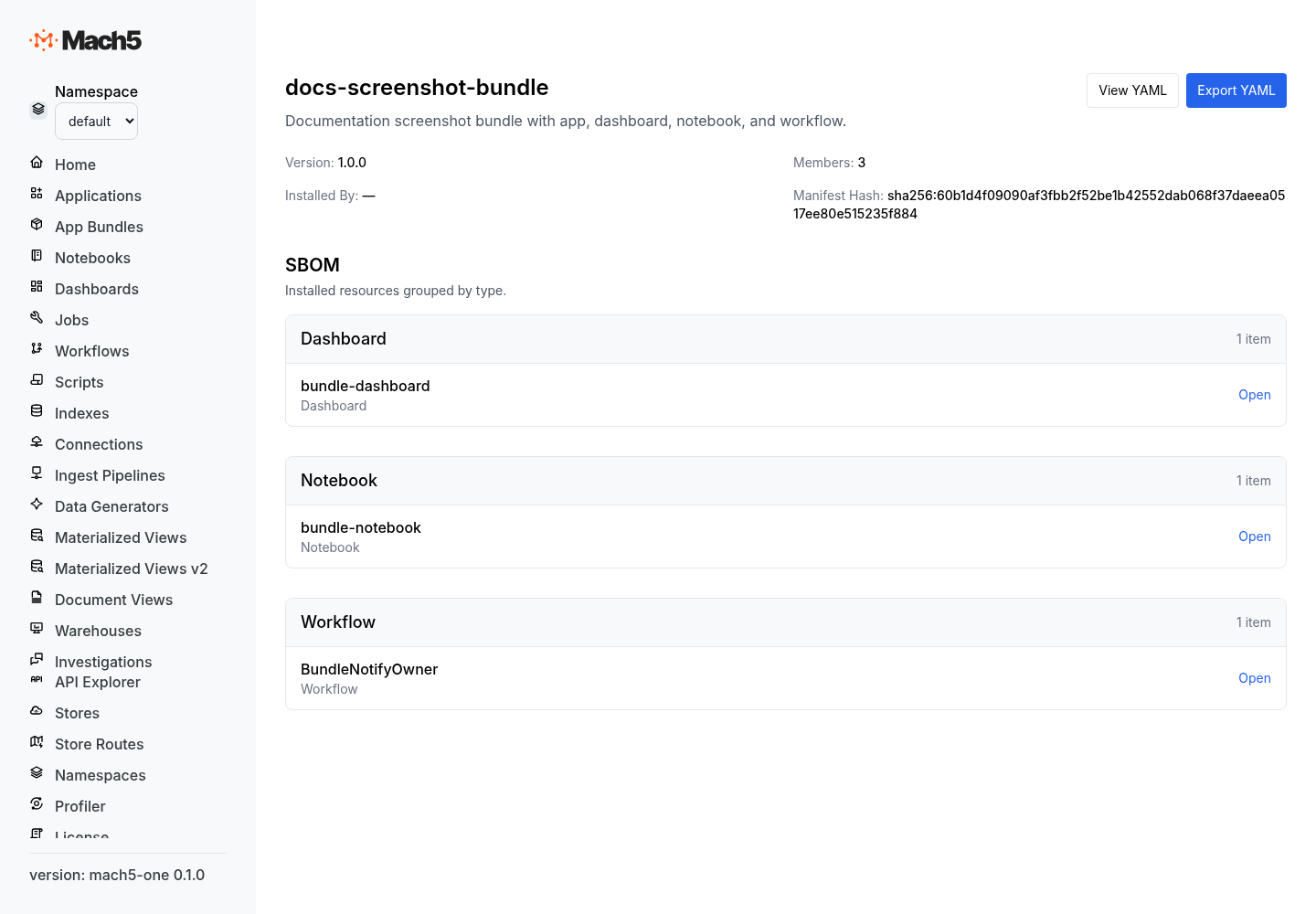
For deeper bundle semantics, see App bundle concepts.
Where bundle files live
A bundle is a directory with a root bundle.yaml plus resource documents.
soc-triage/
  bundle.yaml
  applications/
    soc-triage.yaml
  dashboards/
    soc-triage-overview.yaml
  notebooks/
    incident-review.yaml
  workflows/
    create-case-from-alert.yaml
m5c bundle apply walks the directory, sends the Bundle manifest first, then sends the remaining resources as one apply request.
Build a bundle
Build a bundle in this order:
- Create
bundle.yamlwithkind: Bundle. - Add declarative resource files for the app.
- Keep resource
metadata.namevalues stable. - Reference external dependencies under
spec.references. - Validate the bundle.
- Dry-run the apply.
- Apply to the target namespace.
- Inspect bundle members.
Bundle manifest
kind: Bundle
metadata:
  name: soc-triage
spec:
  bundle_version: 1.0.0
  description: SOC triage app with dashboards, notebooks, and workflows.
  references:
    - kind: Connection
      namespace: shared
      name: slack-prod
Manifest fields
| Field | Required | Meaning |
|---|---|---|
kind | Yes | Must be Bundle. |
metadata.name | Yes | Bundle name. This becomes the owner value stamped on bundle members. |
spec.bundle_version | Yes | Author-controlled semver-style bundle version. |
spec.description | Optional | Human-readable description. |
spec.references | Optional | Read-only resources in other namespaces that the bundle depends on but does not own. |
Resource document envelope
Every bundle member uses the declarative apply envelope.
kind: Dashboard
metadata:
  name: soc-triage-overview
spec:
  title: SOC Triage Overview
  description: Track open alerts, case state, and analyst workload.
Envelope fields:
| Field | Required | Meaning |
|---|---|---|
kind | Yes | Resource kind, such as Application, Dashboard, Notebook, or Workflow. |
op | Optional | Defaults to apply. Use delete for explicit removal documents. |
metadata.name | Yes | Resource name inside the target namespace. |
spec | Required for apply | Resource-specific configuration. Omit for delete operations. |
The namespace is not stored in the YAML. The target namespace comes from the CLI command.
External references
Use spec.references for resources the bundle depends on but should not own or modify.
references:
  - kind: Connection
    namespace: shared
    name: slack-prod
A reference contains:
| Field | Meaning |
|---|---|
kind | Referenced resource kind. |
namespace | Namespace where the resource already exists. |
name | Referenced resource name. |
Validate a bundle
m5c bundle validate soc-triage --namespace prod
Use validation before every install or upgrade. Add flags when needed:
m5c bundle validate soc-triage --namespace prod --ensure-namespace
m5c bundle validate soc-triage --namespace prod --adopt
--ensure-namespace creates or verifies the target namespace when supported. --adopt allows the bundle to take ownership of existing unowned resources.
Dry-run and apply
m5c bundle apply soc-triage --namespace prod --dry-run
m5c bundle apply soc-triage --namespace prod --ensure-namespace
--dry-run returns the operations Mach5 would perform without changing the namespace.
Inspect bundles
m5c bundle list --namespace prod
m5c bundle get soc-triage --namespace prod
m5c bundle members soc-triage --namespace prod
Use these commands to confirm installed version, status, ownership, and member resources.
Delete a bundle
m5c bundle delete soc-triage --namespace prod --yes
Deleting a bundle removes resources owned by that bundle according to bundle ownership rules.
Apply individual resources
For one-off apply documents, use m5c apply instead of a bundle:
m5c apply -f dashboard.yaml --namespace dev --dry-run
m5c apply -f dashboard.yaml --namespace dev
Use ad-hoc apply for a small, explicitly managed resource. Use bundles for apps and multi-resource installs.
Export resources
m5c export prod -o prod-export.yaml
m5c export --all-namespaces -d exports/
Exports are useful for review, backup, migration, and troubleshooting.
Ownership and pruning
Bundle apply owns and prunes member resources.
| Situation | Behavior |
|---|---|
| Resource is missing | Created and owned by the bundle. |
| Resource is owned by the same bundle | Updated. |
| Resource is unowned | Rejected unless --adopt is used. |
| Resource is owned by another bundle | Rejected. |
| Previously owned resource is omitted from the next bundle version | Pruned during upgrade. |
Use dry-run before applying upgrades so pruning is visible before it changes the namespace.
Common mistakes
| Mistake | Fix |
|---|---|
| Putting namespace in resource YAML | Pass namespace on the CLI. |
Changing metadata.name during upgrade | Keep names stable unless you intend a new resource. |
| Applying a bundle over existing unowned resources without intent | Use --adopt only after review. |
| Removing files without checking prune output | Run --dry-run before apply. |
| Storing secrets in bundle source | Reference connections or secret-backed resources instead. |
Best practices
- Use bundles as the deployment unit for app resources.
- Validate and dry-run before applying to shared namespaces.
- Use
--adoptonly when intentionally moving existing resources under bundle ownership. - Keep secrets out of bundle source.
- Keep one bundle focused on one app or installable capability.